Your card overview
Virtual card
Online debit card
 Physical card | 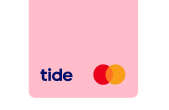 Virtual card |  Online debit card | |
|---|---|---|---|
Maximum cards per Admin | 1 per account 1 per account | 5 per account 5 per account | 1 per account 1 per account |
Maximum cards per Team member | 1 per business 1 per business | 5 per business 5 per business | |
Physical card delivery time frame | Up to 5 business days | ||
Digital card delivery time frame | Instant Instant | Instant Instant | Instant Instant |
Add to your digital wallet immediately | |||
Card colour | Blue (if you're on a Lite plan or have Team Card holders), Black (if you're on a paid plan) | Blue, Green, Purple, Orange, and Pink | Turquoise Turquoise |
Get your cards set up
Get your cards set up
Activate your digital card
Tap Manage cards S elect your card and tap View details .
Your physical card delivery
Your card will be sent to your registered delivery address Tap Accounts > Cards and select your card to check your card's delivery address To c hange your card's delivery address, tap Replace this card, choose a new address and order it for free Your card will arrive within 5 days of your account being approved, or your address being updated
Activate your physical card
Activate your physical card
Tap Manage cards Select your card and tap View details to view your card's PIN Insert your card into a POS terminal or ATM and make a Chip & PIN transaction Your physical card will now be activated, and your digital card will now work outside of your digital wallet
Freeze, cancel or reorder your card
Freeze, cancel or reorder your card
G o to the Accounts tab T ap Cards and select your card Choose whether to Freeze your card , Cancel without replacing, or Replace this card for free
Make payments with your card
Make payments with your card
Make payments at home
Make payments abroad
Earn Cashback
Trouble making card payments?
Your account has insufficient funds There’s an issue with the merchant’s system There are some purchases, such as for gambling and crypto, which you can't make. If this is the case, you'll see a notification which says ‘declined due to merchant category blocked' You’ve reached your payment limit. To check, tap Accounts > Details > Account limits You’ve reached your contactless limit and need to make a payment with your PIN to use contactless again Your card is frozen. If so, tap Accounts > Cards > Unfreeze Your card's PIN is blocked. Enter your card and PIN at any ATM, choose an option usually called 'PIN services' or 'unblock PIN', and follow the onscreen instructions to unblock it. Your card is faulty. If so, use the steps on this page to order a new one for free
Countries with restrictions on your card payments
Countries with restrictions on your card payments
Countries where you can't use your card's mag stripe
Countries where you can't use your card at all
Smart
Pro
Max
Free |  Smart | Pro | Max | |
|---|---|---|---|---|
Purchase in GBP in UK | Free Free | Free Free | Free Free | Free Free |
Purchase in GBP abroad | 2.75% 2.75% | Free Free | Free Free | Free Free |
Non-GBP purchase | 2.75% 2.75% | Free Free | Free Free | Free Free |
GBP cash withdrawal in UK (up to £500) | £1 £1 | £1 £1 | £1 £1 | £1 £1 |
GBP cash withdrawal in UK (over £500) | 0.25% 0.25% | 0.25% 0.25% | 0.25% 0.25% | 0.25% 0.25% |
GBP cash withdrawal abroad (up to £500) | ATM fee £1 + FX fee 2.75% | £1 £1 | £1 £1 | £1 £1 |
GBP cash withdrawal abroad (over £500) | ATM fee 0.25% + FX fee 2.75% | 0.25% 0.25% | 0.25% 0.25% | 0.25% 0.25% |
Non-GBP cash withdrawal (up to £500) | ATM fee £1 + FX fee 2.75% | £1 £1 | £1 £1 | £1 £1 |
Non-GBP cash withdrawal (over £500) | ATM fee 0.25% + FX fee 2.75% | 0.25% 0.25% | 0.25% 0.25% | 0.25% 0.25% |
ATM balance enquiry | Free Free | Free Free | Free Free | Free Free |